Your own house, rendered in your style
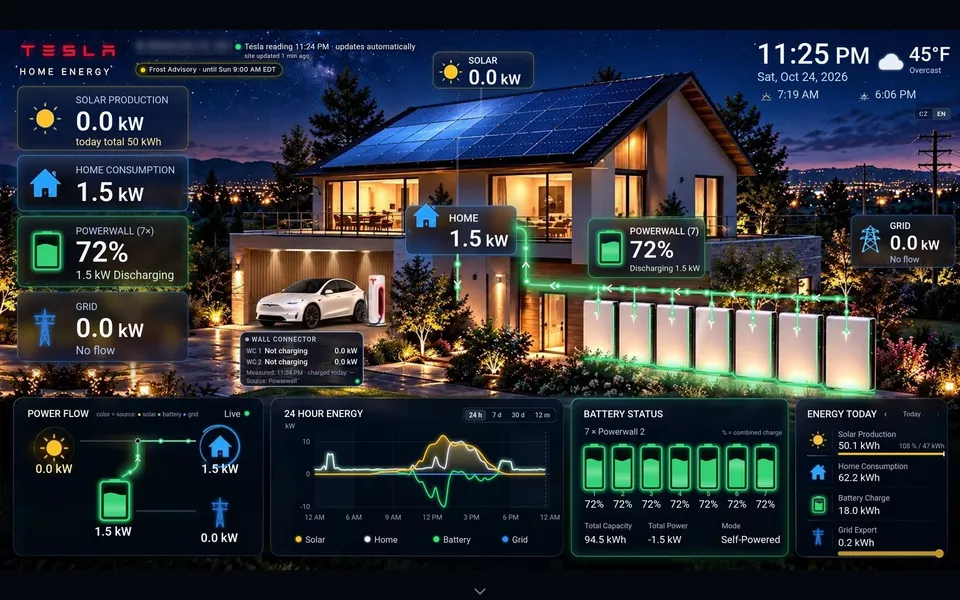
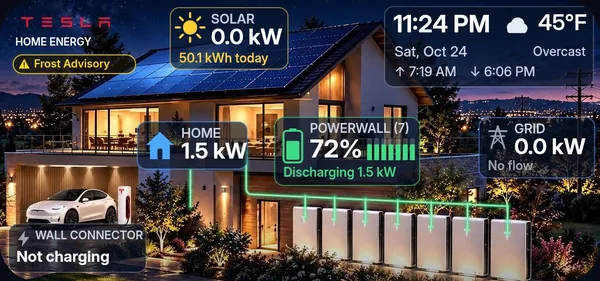
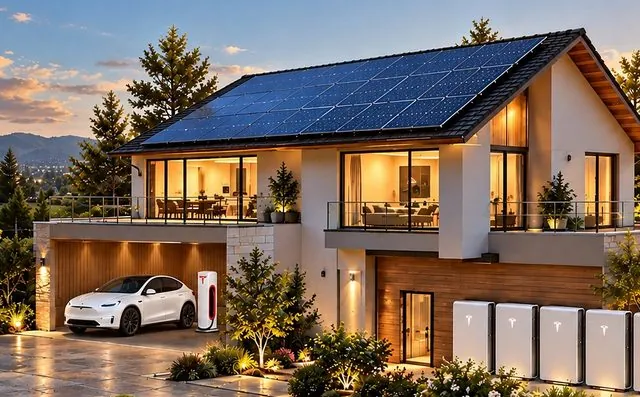
A picture of your home with your Powerwalls, your car and glowing energy lines that move as power flows.
Tesla Solar & Powerwall owners
A private, live dashboard built around a picture of your own house. You will watch sunlight fill your Powerwalls, your home draw power and the grid stand by – on your phone, your PC, your iPhone home screen and your car’s screen.
The part you never see
Your system tells a story every single day. When the panels peak. When the Powerwalls take over. What the sun saved you, in dollars. How long you would last if the grid went down tonight. Whether a storm warning already covers your address. Without a screen built for it, that story slips past you – day after day.
You will see exactly when you produce, use, store and export.
You will see what you saved today, calculated from your actual utility rate.
You will see the radar, official alerts and your backup time on one screen.
The live dashboard
It’s a stormy evening. You glance at the screen: Powerwalls at 72%, the house running on battery, about 21 hours of backup at today’s load, the storm line moving across the radar. You don’t open an app. You don’t dig through menus. You just know.
What you will have
It updates on its own every few minutes. Built around your house, your number of Powerwalls and your utility rate.
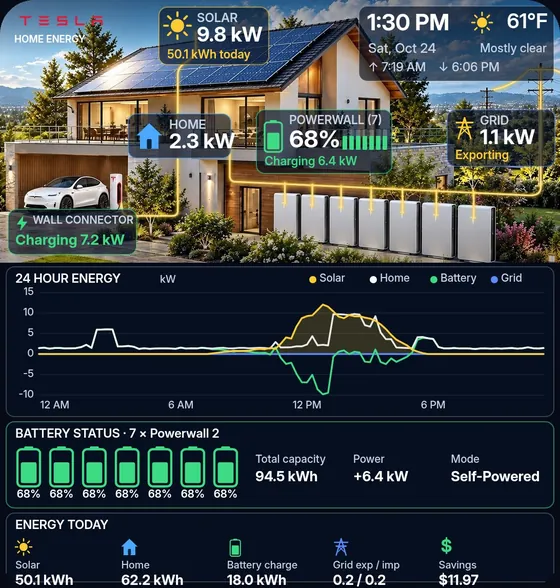
A picture of your home with your Powerwalls, your car and glowing energy lines that move as power flows.
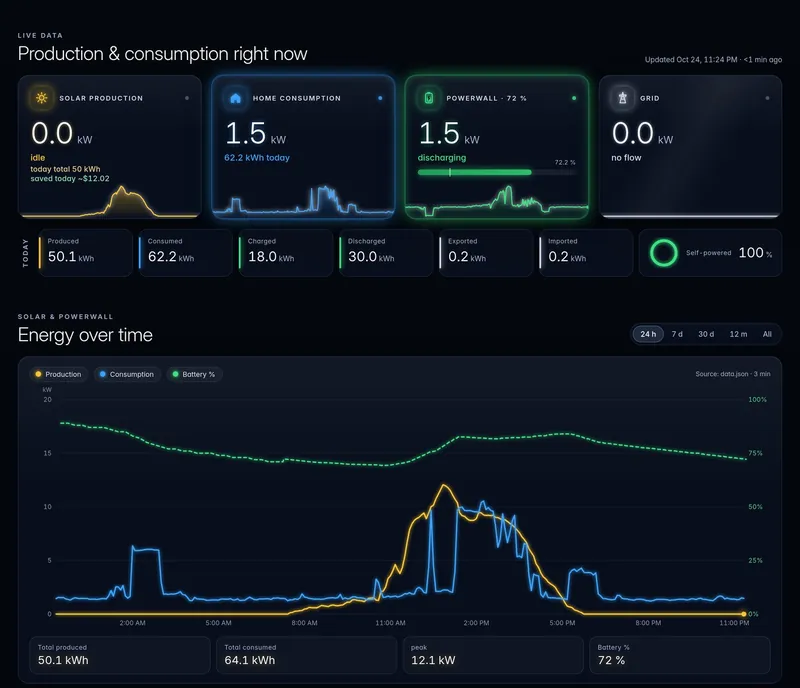
Solar, home, Powerwall and grid – four flows, as they happen, colour-coded so you read them in a second.
Charge of each battery, total capacity, charging or discharging power and the operating mode.
Production now, today’s total, local weather, sunrise and sunset, and an estimate of what your panels will make today.
Whether you are buying, selling or fully self-powered – plus today’s exported and imported energy.
24 hours, 7 days, 30 days and 12 months. You will see exactly when you produce, use, store and export.
Calculated from your actual utility rate, so “saved today” finally means something.
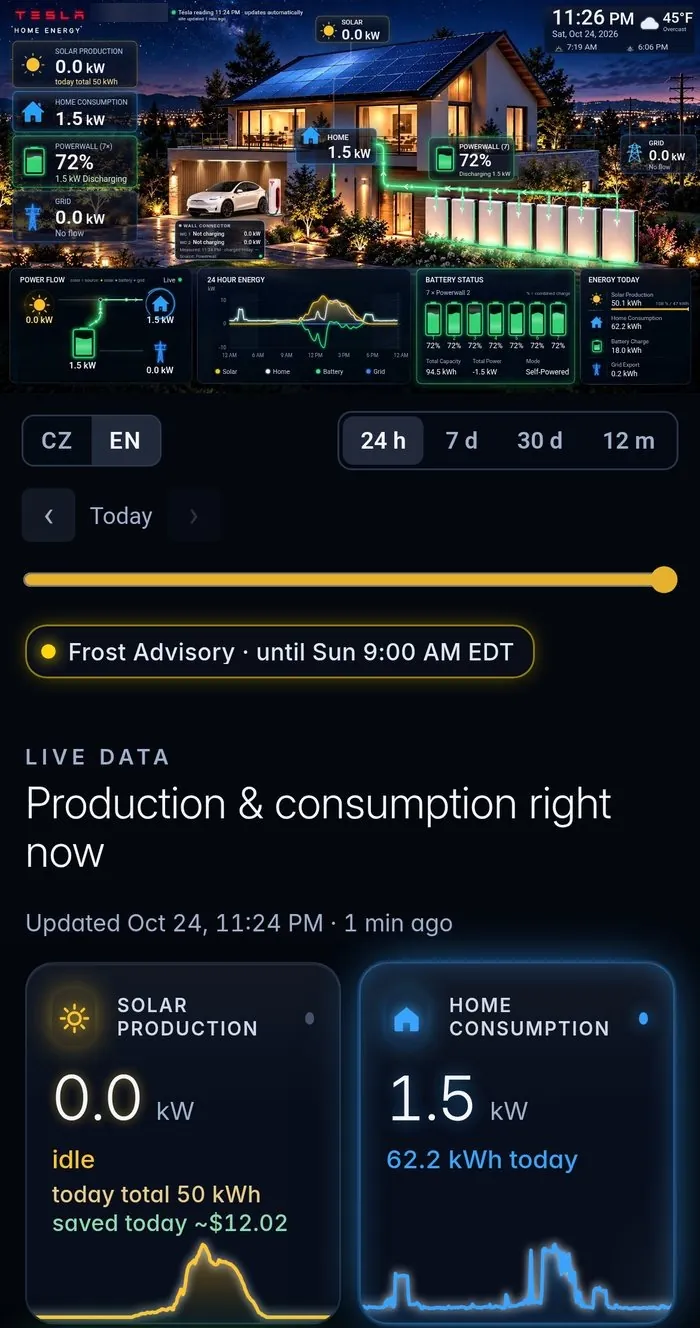
Your house on your home screen. Tap it and the full live dashboard opens.
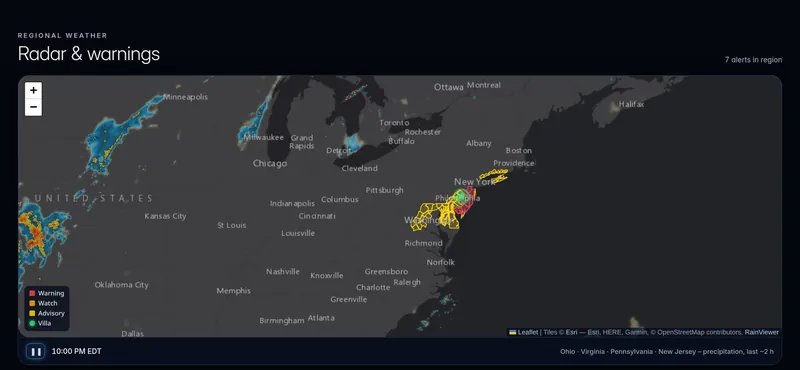
Animated radar around your area with official National Weather Service warnings on the map.
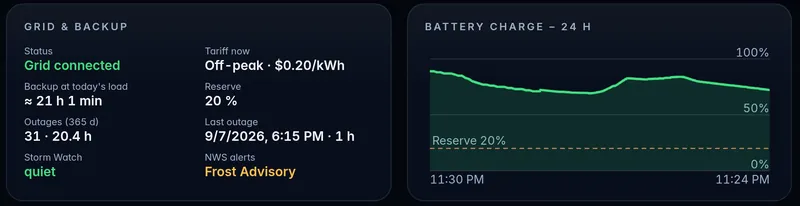
Estimated backup time at today’s usage, your reserve level, a Storm Watch indicator and your outage history.
Included, e.g. smith-energy.pages.dev. Open it on any device – phone, PC, tablet or car.
Tesla’s official sign-in, read-only data, hosted in an account in your name.
It changes with the sky
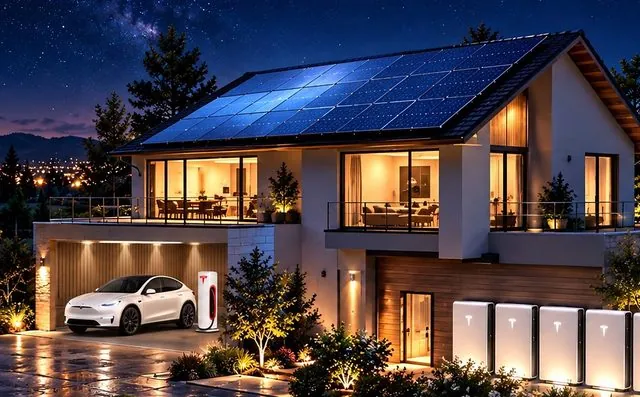
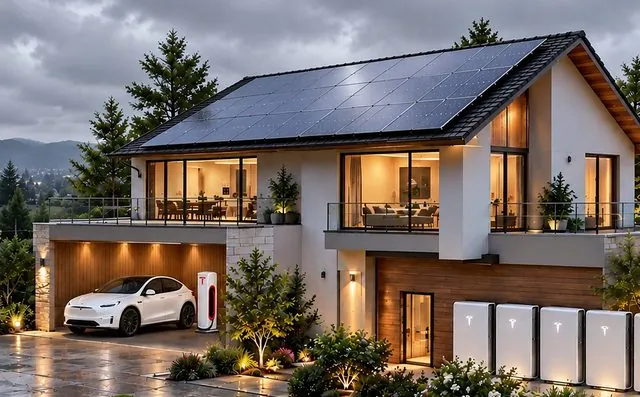
Morning, afternoon, golden hour, sunset, night and cloudy days each get their own scene – chosen automatically from your local sunrise, sunset and cloud cover. Your website and your widget switch on their own.
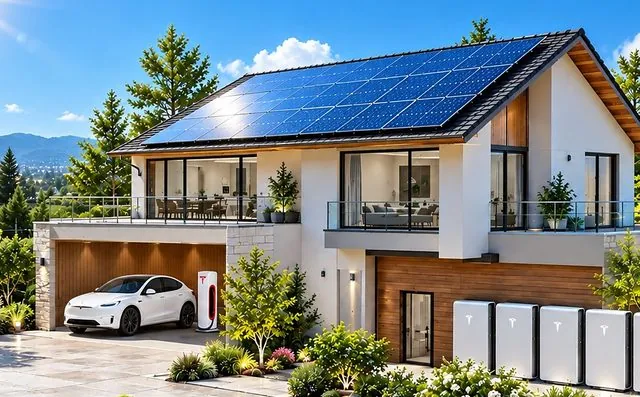
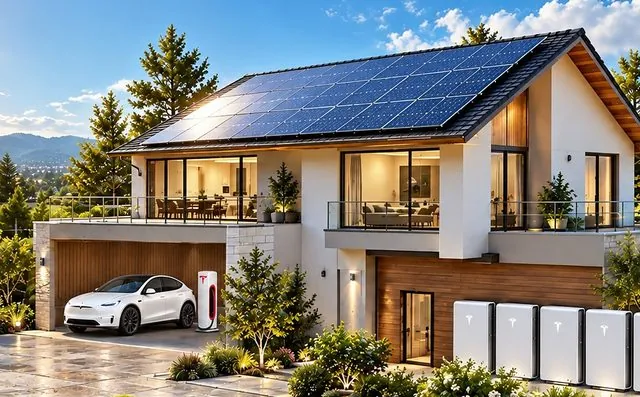
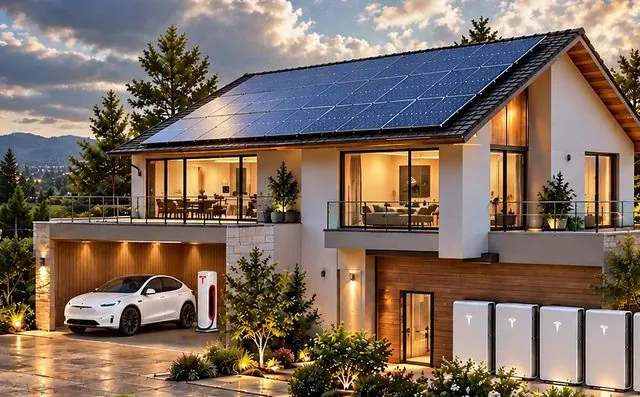
Weather radar & storm watch
When a storm is coming, you want two answers: is it heading my way – and am I ready if the power goes out? Your dashboard answers both, on one screen.
How it works
You don’t install anything and you never share a password.
One link. You sign in on Tesla’s own page and tap Allow. Read-only energy data – your password is typed only on Tesla’s page and never reaches us.
We prepare the picture of your home with your number of Powerwalls, set up your data, your utility rate and your weather.
Your own web address on your phone, PC, tablet or your car’s browser – plus the iPhone widget on your home screen.
Why it’s different
Your home, your batteries, your car, in a scene that changes with your sky.
A web address that opens on any screen and refreshes itself every few minutes.
The site runs in an account in your name, not ours. You pay once for the build.
Developed and running on a real 7-Powerwall home – the one you see on this page.
Official Tesla sign-in, read-only access, revocable anytime from your Tesla account with one tap.
Radar, official alerts, backup time and outage history together – exactly when it matters.
From yes to live
Usually ready within 2–3 days after you approve access in Tesla.
Send a short request. We ask how many Powerwalls you have, your utility rate and your address.
Open one link, sign in on Tesla’s page and tap Allow. Read-only, revocable anytime.
We prepare the picture of your home with your batteries and connect your data.
You get your web address and the iPhone widget – and we walk you through it.
Investment
You pay once for the build. The website runs in an account in your name, so it’s yours to keep.
Everything included · one-time setup
Founding offer for the first homes – in exchange for an honest review and permission to show your dashboard as an example. Regular price .
Optional custom domain (e.g. smithenergy.com) at cost, no markup.
Optional · Energy Care Plan
or / year. Like AppleCare for your dashboard – completely optional. Your dashboard works without it.
Without the Care Plan, repairs and changes are each.
Questions
No. You sign in on Tesla’s own page and tap Allow. Your password is typed only there – we never see or store it.
No. Access is read-only energy data. The dashboard shows what your system is doing; it doesn’t control it.
Yes – anytime, with one tap in your Tesla account.
No. Energy Dash is a software product. It works with your existing Tesla equipment through Tesla’s sign-in authorization – nothing is installed, wired or changed.
No hardware and no app. You get a web address that opens on your phone, PC, tablet or your car’s browser, plus the iPhone home-screen widget.
No subscription is required. You pay once for the setup. The Energy Care Plan is optional; without it, repairs and changes are billed per request.
Usually within 2–3 days after you approve access in Tesla.
You do. It is hosted in an account in your name, not ours.
The dashboard refreshes on its own every few minutes. iPhone widgets refresh on Apple’s schedule, usually every 5–15 minutes.
With the Energy Care Plan, we take care of it – including renewing your access. Without it, a fix is billed at .
Yes. We prepare a picture of your home with your number of Powerwalls. The examples on this page are from a real 7-Powerwall home; yours will show your own home and data.
Your first step takes about a minute
Send a short request – just your name, email and how many Powerwalls you have. We reply by email with the next step. No obligation to continue.
Request my dashboardYour email app opens with a short request, ready to send.